
Make every hour with your attorney count.
Show up to meetings with an organized chronology, labeled evidence, and a read-only case view your lawyer can review in their own time. Spend their hours on strategy, not on sorting through your inbox.
By Clearhavn editorial · Last updated
Disorganization is expensive
Family law attorneys typically bill $200 to $500 per hour. Most of their time is best spent on strategy, drafting, and arguments — not on opening 47 email forwards from you and trying to figure out which photo goes with which incident.
When you show up with an unorganized record, your attorney has two choices: spend billable hours organizing it themselves, or work with what you gave them and hope nothing important gets missed. Neither is good for you.
The math, conservatively
One organized chronology saves a lawyer two to four hours of review time across the life of a case — sorting events, matching evidence, building exhibits. At $300/hour, that's $600 to $1,200. Clearhavn Pro is $12 per month. The math isn't close.
What your attorney actually wants from you
Most attorneys would never ask for this directly because they don't want to seem demanding. Here's the honest list.
A written chronology of every relevant event
Dates, times, what happened, who was present. In order. Not a stream of memories pulled out at the next meeting.
Evidence labeled and organized in one place
Not a folder of camera-roll exports with names like IMG_4521.jpg. Each piece of evidence connected to the event it supports.
A list of witnesses with contact info
Full names, phone numbers, email addresses, and what each person can speak to. Built once, used throughout.
A current task and deadline list
So they don't have to remind you about filing dates or hearings, and you don't miss anything between meetings.
Summary of the most important issues
Three to five priorities in your case, in your own words. This shapes their strategy more than the volume of evidence does.
You can build all of this in a Word document or a spreadsheet. Or you can use a tool that's designed for it.
How Clearhavn fits into the workflow
You log events as they happen. Your attorney reviews them in their own time. Your meetings focus on strategy.
Build the chronology your attorney needs
Log events with date, category, severity, location, and notes. The chronology builds itself as you go.
Organize attachments by event
Drag screenshots, photos, audio, or PDFs onto the event they support. No more ten-attachment emails to your lawyer.
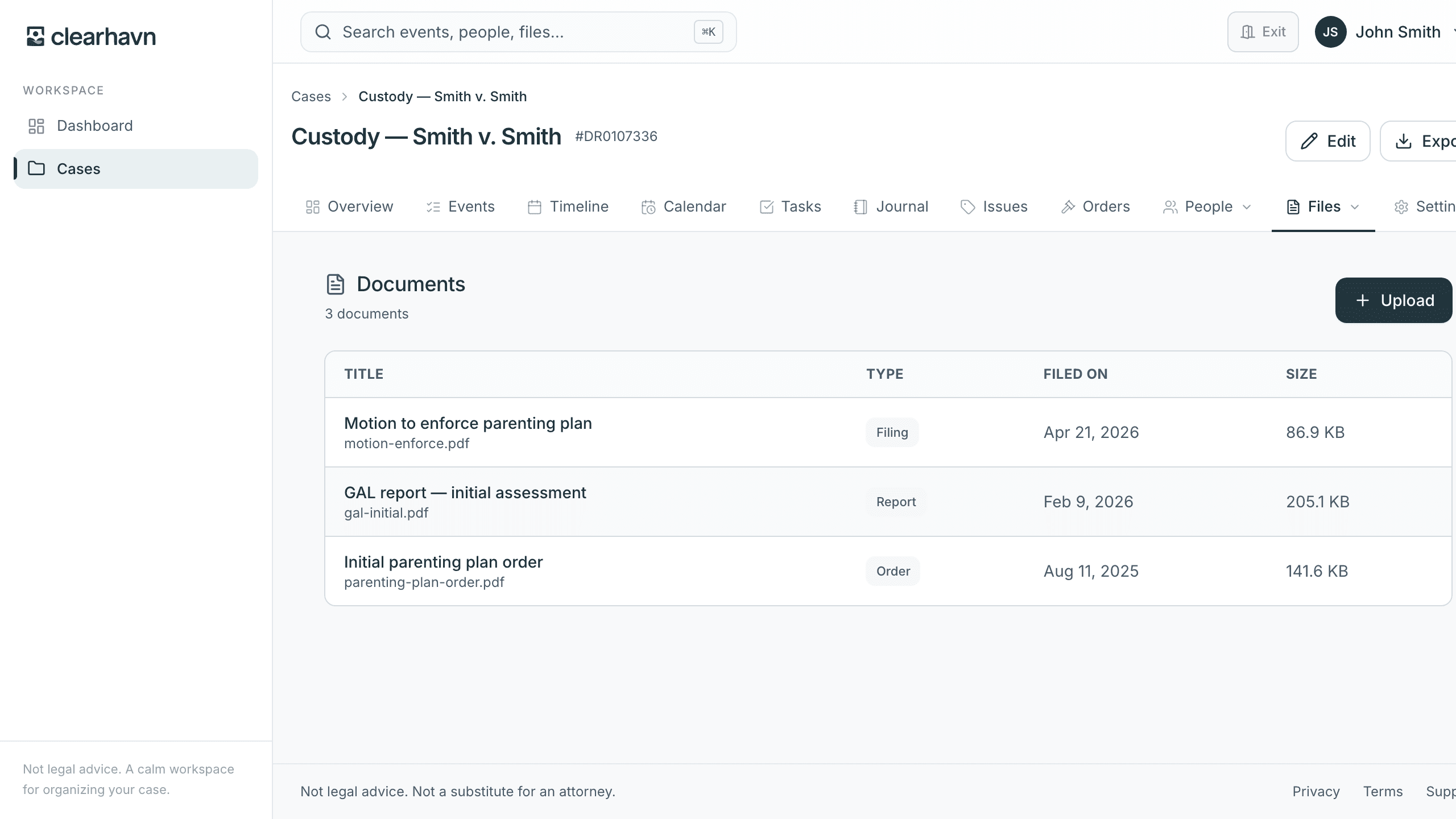
Share a read-only view with your attorney
Pro includes attorney sharing — they get a focused view of your case, no edit access, revoke anytime.
Keep everything private until you choose to share
Your case stays in your account. Attorney sharing is opt-in per attorney. No public links, no surprise visibility.
Your attorney can review your case without you sending a zip file
Invite your attorney by email. They get an account that can view your case — chronology, evidence, witnesses, court orders, attachments — but cannot edit anything. They can review on their own time, at their own pace, between meetings. Revoke access any time.
- Read-only access — no risk of accidental edits
- Print-friendly layout — attorneys can print sections for the file
- Focused interface — no app navigation, no edit controls
- Revoke anytime — instant access removal from your settings
- Included in Pro at $12/month, less than a single billable minute
If your attorney already uses a different case management system internally, that's fine — Clearhavn isn't replacing their firm's tools. It's replacing the messy email thread they're currently using to keep track of what you sent them.
What an attorney meeting looks like
- You walk in with a stack of papers and a phone full of screenshots
- Half the meeting is your attorney asking “wait, when did this happen?”
- Your attorney spends billable hours after the meeting organizing what you brought
- The actual legal strategy gets squeezed into the last 15 minutes
- Your attorney reviews your case in their own time before the meeting
- You arrive aligned — they've already seen the chronology and key exhibits
- The meeting is for strategy and decisions, not for catching up on facts
- The legal advice you paid for actually fills the meeting
Common questions
- Will my attorney actually use this?
- Most family law attorneys appreciate clients who arrive organized. The read-only view loads in any browser — they don't have to install anything or learn a new system. If they have a strong preference for receiving information another way, ask them. Most are flexible.
- What if my attorney has their own case management system?
- That's fine. Clearhavn isn't replacing their firm's case management — it's replacing the disorganized way you currently send them information. They'll still keep their own files in their system.
- Can my attorney edit my case if I share it with them?
- No. Attorney sharing is read-only. They can view, print, and reference your case. They cannot add, edit, or delete anything. You stay in full control of your record.
- How do I revoke access?
- From your case settings. One click. Their access ends immediately, and they can no longer see your case data.
- Is $12/month worth it if I'm already paying a lawyer?
- If your attorney bills $300/hour, $12/month is about two and a half minutes of billable time per month. Most clients save many multiples of that in attorney hours by showing up organized. It's the cheapest line item in your legal budget.
- What if I'm between attorneys?
- The free plan keeps your case intact for one case. When you hire your next attorney, upgrade to Pro and share access with them. Your data doesn't go anywhere.
Pay your lawyer for strategy. Not for sorting.
Free for one case. $12/month for unlimited cases, court-ready exports, and read-only attorney sharing. Cancel anytime.